Notifications for Phoenix: the bell in your app, the emails, the push to phones, and a log that says why each one went or didn't.
Someone comments on a story, a payment fails, a person is invited to a team. You write a small module that says who should hear about it and how. Chime puts it in their feed at once, sends the email ten minutes later if they haven't seen it yet, and respects what each person chose in their settings.
When someone asks "why did I never get that email?", you can look it up and read the answer.
Everything lives in your own database, on PostgreSQL or SQLite. The deliveries run as Oban jobs.
Install
You need Elixir 1.18+, Phoenix 1.7.14 or 1.8, Phoenix LiveView 1.1+ and Oban 2.19+.
Add {:chime, "~> 0.1"} to the deps in mix.exs, then create Chime's
tables:
mix deps.get
mix chime.gen.migration
mix ecto.migrate
Start Chime in your application, after the repo, PubSub and Oban:
{Chime,
 repo: MyApp.Repo,
 pubsub: MyApp.PubSub,
 resolver: MyApp.ChimeResolver,
 mailer: MyApp.Mailer,
 email_from: {"MyApp", "hello@myapp.com"}}
The resolver tells Chime who your users are. The Quickstart shows one, and the rest of the setup.
Your first notification
Write a notifier for each kind of notification:
defmodule MyApp.Notifications.NewComment do
  use Chime.Notifier, category: :comments

  deliver :feed
  deliver :email, wait: {10, :minute}, unless: :read

  @impl true
  def recipients(%{comment: comment}), do: [comment.story.author]

  @impl true
  def data(%{comment: c}), do: %{"story" => c.story.title, "author" => c.author.name}

  @impl true
  def feed(data, _notification),
    do: %{title: "#{data["author"]} commented on #{data["story"]}"}

  @impl true
  def email(data, _recipient, _notification),
    do: Swoosh.Email.new(subject: "#{data["author"]} commented on #{data["story"]}")
end
Send it where the thing happens:
Chime.notify(MyApp.Notifications.NewComment, %{comment: comment})Show the bell in your layout:
<Chime.Components.bell chime={@chime} />
<Chime.Components.feed chime={@chime} />
The story's author sees it in the bell straight away. If they haven't read it within ten minutes, they get the email too.
What you get
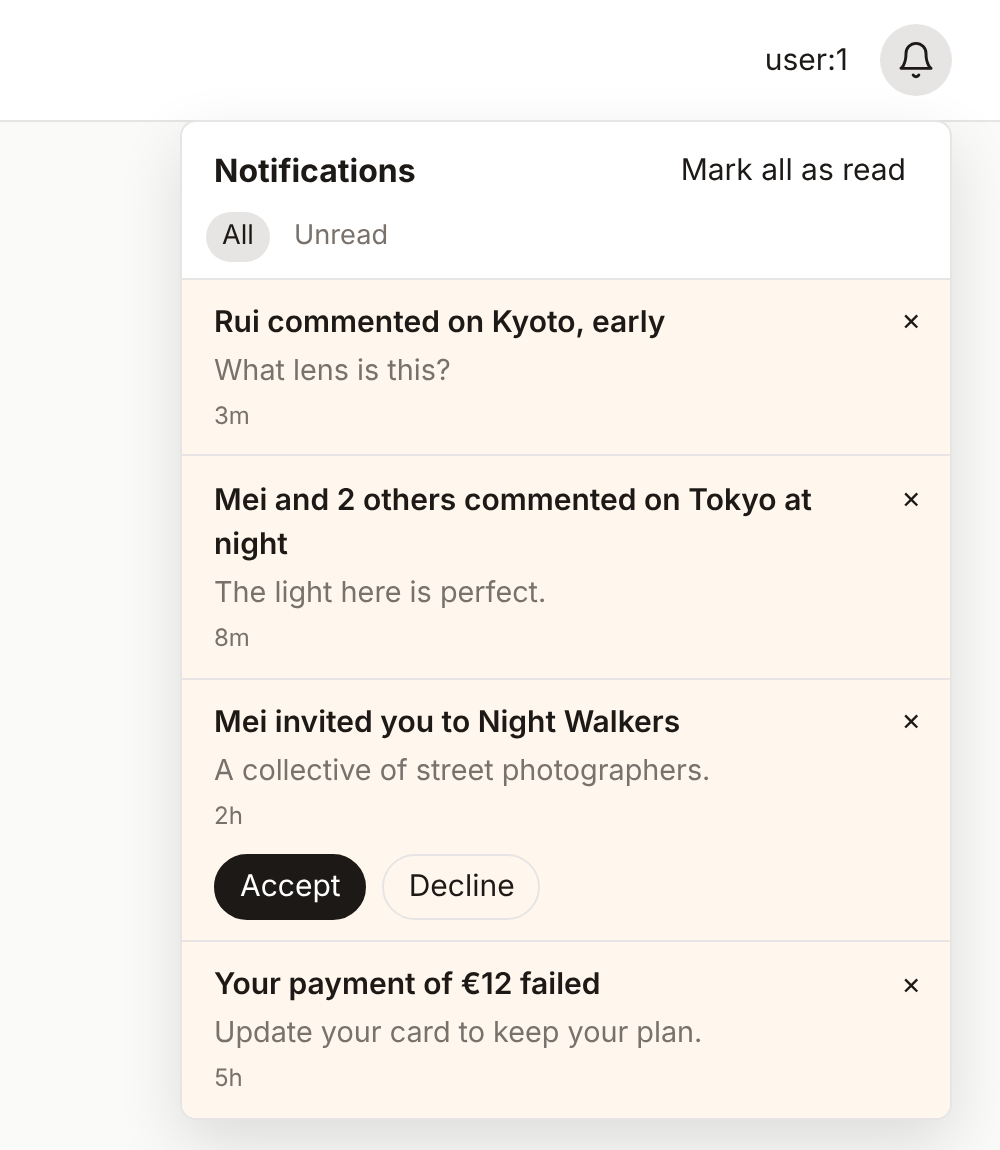
- A feed for each person. Seen, read and archived, with live counts in every open tab. Three comments on one story become "Mei and 2 others commented". → Notifiers
- Every channel. Email, push to browsers and phones, Slack, Discord, Teams, webhooks, SMS, or a channel of your own. → Channels, Push
- People decide. A setting for each kind of notification and each channel, daily and weekly digests, and a one-click unsubscribe in every email. → Preferences
- Good timing. Wait before sending, send later, cancel, hold for quiet hours, and limit how many go out. → Notifiers, Channels
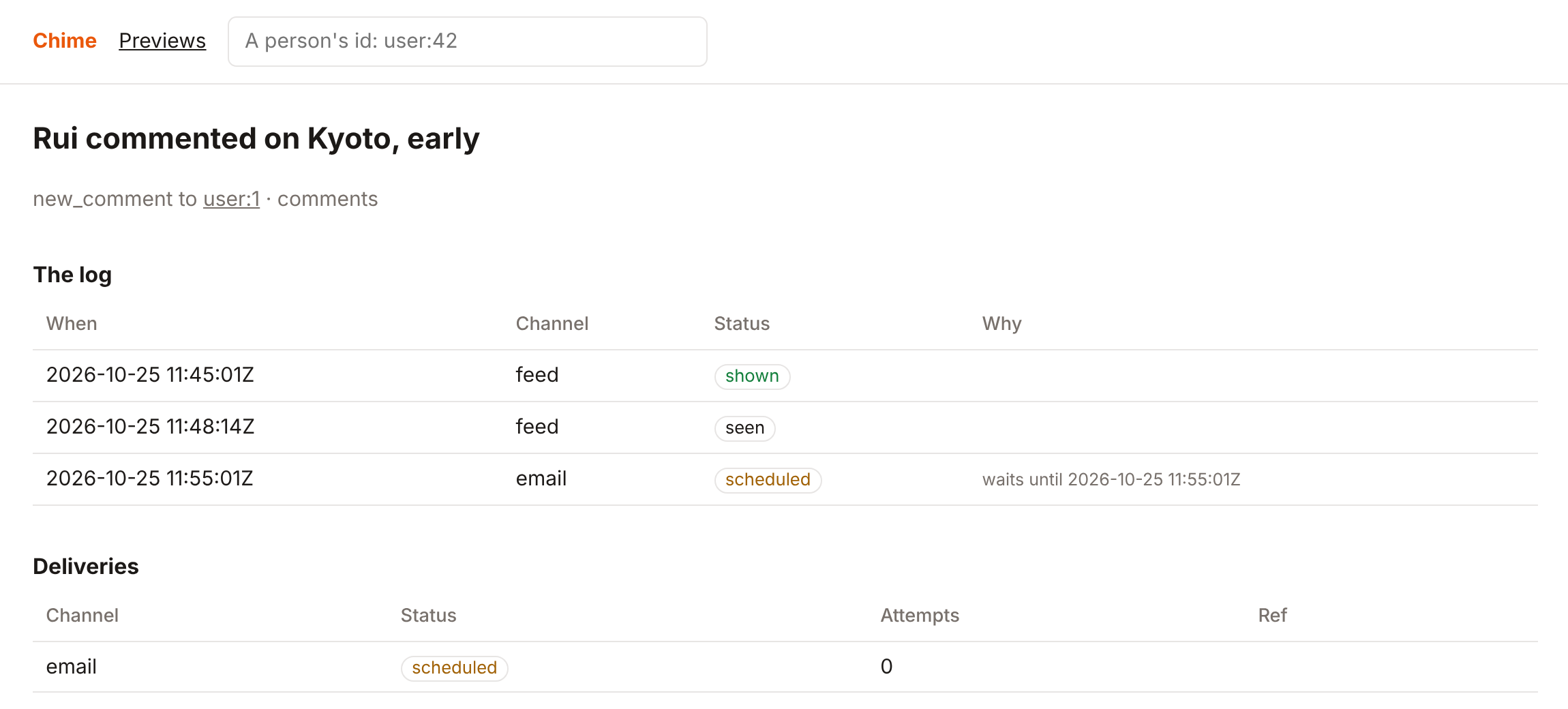
- Why, for each one. Every delivery is logged with its reason, and an admin page lets you find a person, read their log, and send again what failed. → The log, The admin
- LiveView or React. Ready-made components for LiveView, and a JSON API with a client and a React package for any other frontend. → In LiveView, Any frontend
- Teams and workspaces. A separate feed and settings for each. → Workspaces
- Your languages. Chime's words go through your app's own Gettext. → Languages
- Tests without waiting.
Chime.Testchecks what was sent, with no jobs to drain and no clock to wait for. → Testing
The full list is in Features.
Try it
mix deps.get
mix dev
Open http://localhost:4100. It's a small app with a few notifications in
the bell, the admin at /admin/notifications, and a preview of each
notifier at /admin/notifications/previews.
Guides
Quickstart · Notifiers · Channels · Push · Preferences · Workspaces · The log · The admin · In LiveView · Any frontend · Languages · Testing · Features
Development
mix deps.get
mix dev          # the development app at http://localhost:4100
mix test         # on SQLite, and on PostgreSQL when it is reachable
mix precommit    # the checks CI runs
The JavaScript lives in assets/; CONTRIBUTING.md
says how to build and test it, and what a pull request needs. Report
security problems privately, as SECURITY.md says.
License
MIT. See LICENSE.